CLEAR Identity Verification for Password Reset
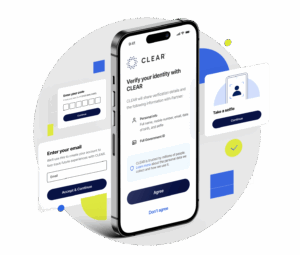
The Albany Med Health System has partnered with CLEAR© to offer a seamless and secure way to verify your identity for password reset.
Why CLEAR? CLEAR started over 15 years ago in the most highly-regulated environment – airports – and now has over 33 million members and a network of partners who trust CLEAR to make experiences safer and easier.
How it Works: CLEAR uses your ID and selfie to securely confirm your identity.
- Used CLEAR before? Verify in seconds with the snap of a selfie.
- New to CLEAR? Verifying is free and only takes a couple of minutes.
Simply provide a valid government ID and snap a quick selfie. Once youʼve completed this process, future verification only takes seconds. If you have any questions, read the FAQs or reach out to the AMHS Help Desk at 518-262-5000.
Register with CLEAR
For those with a valid AMHS account and password, simply provide a valid government ID and snap a quick selfie. Once you've completed this process, future verifications will only take seconds. Used CLEAR before? Verify in seconds with the snap of a selfie.
Reset Your Password
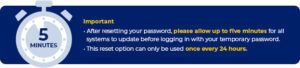
After registering with CLEAR, you’ll be able to use this process to reset your password whenever needed. To begin, click the button below and follow CLEAR’s step-by-step instructions. If you experience any issues after resetting your password, please contact the Help Desk for assistance.
Please review the important information below before clicking the Reset Your Password button.
CLEAR's Privacy Commitment
CLEAR is committed to privacy done right. You are always in control of your information, and CLEAR will never sell your biometric or personal sensitive data. For more information, check out our full Privacy Commitment.
Security is our #1 priority — CLEAR is built to protect your personal information and keep you in control.
CLEAR will...
- Never sell your biometric or personal sensitive data
- Never collect information without permission
- Always act responsibly to protect your data and keep it secure
FAQs
CLEAR is an identity verification solution that provides a secure way to confirm your identity.
You likely have noticed CLEAR+ is used for airport security across the nation. At the Albany Med Health System, a separate version of CLEAR—created specifically for organizations—is available to reset your password.
CLEAR started nearly 15 years ago in the most highly regulated environment—airports—and has over 33 million members* and a network of partners who trust CLEAR to make experiences safer and easier.
Through the CLEAR verification process, we further secure the password reset process by reducing the risk of social engineering and other phishing attacks that aim to compromise sensitive personal information.
*Membership totals as of April 2025.
All users with a valid government-issued photo ID and mobile phone number. A mobile phone and number is required to use CLEAR.
No. Verification is completed within a secure Internet browser.
CLEAR shares only the information necessary to complete verification with AMHS, and always with your consent. You'll see exactly what's being shared before you proceed.
No. Membership enrollment is not required for CLEAR+ to reset your AMHS password.
No. CLEAR for AMHS password reset is available for use at no cost to you.
No. CLEAR identity proofing is not the same as CLEAR+, which allows you to move faster through airport security in designated CLEAR lanes.
Yes, but your experience will be as simple as snapping a selfie. If you are an existing CLEAR+ member, all you need to do is enter your phone number and snap a selfie to complete the identity verification.
Technical Support
For technical support, please contact the AMHS Help Desk at 518-262-5000. Visit CLEAR's support page for more information.
Troubleshooting
Most of the time, a failure is caused by one of the following. Please wait a few minutes and try registering again.
- Capturing your Government-issued I.D.:
- Assure your I.D. fills the entire screen when taking the picture
- Make sure you are in an area with good lighting
- Ensure there are no glares on your ID
- Place ID against a dark background when capturing
- Clean camera lens
- When taking your selfie:
- Assure your face fills the entire screen when taking your picture
- Make sure you are in an area with good lighting (dark lighting always causes a failure)
- Remove any eyeglasses or hats
- Tuck any loose hair away
- Make sure there is nothing obstructing your full face
- Find a solid background for your selfie
- Clean camera lens
- Ensure you are in an area with appropriate cell service and/or WiFi
- Provide the cell phone number associated with your device
- Make sure to allow camera access within your device settings
- Try restarting the experience
- Try restarting your phone
- Make sure you are in an area with good lighting
- Remove any eyeglasses or hats
- Tuck any loose hair away
- Make sure there is nothing obstructing your full face
- Find a solid background for your selfie
- Clean camera lens
- Make sure you are in an area with good lighting
- Ensure there are no glares on your ID
- Place ID against a dark background when capturing
- Clean camera lens
- Try closing the browser tab and clearing the browser cache, then try again. The user experience may vary based on previous failure points.